Send a one-time message to every account that follows your client back — automatically, the moment it happens.
Welcome DM
Overview
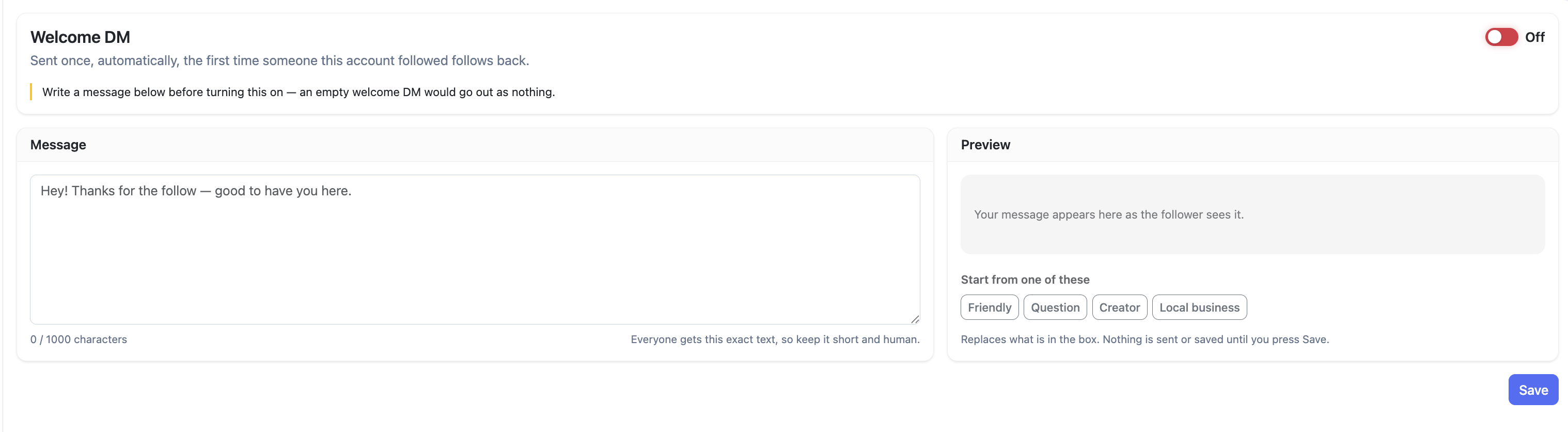
Welcome DM sends a direct message to an account the first time they follow your client back. You write the message template once — Oxelio handles the sending whenever a followback is detected.
How it Works
The trigger is the same as Like After Follow: when Oxelio detects that a followed account has followed back, it sends the Welcome DM to that account. Every recipient gets the exact same message, so keep it short and human.
The page has a live preview so you can see how the message will look before enabling it, and template starters (Friendly, Question, Creator, Local business) to give you a starting point.
Welcome DM
What to Expect
DMs are a higher-touch interaction than a follow — they open an actual conversation. A well-written message can meaningfully increase engagement with new followers. A generic or promotional one can feel spammy and trigger unfollows or blocks.
How to Configure
- Open the account from the dashboard.
- Go to the Welcome DM page.
- Write your message in the template box. Use the preview on the right to see how it will appear to the recipient.
- Optionally use one of the template starters (Friendly, Question, Creator, Local business) as a base.
- Press Save.
- Toggle the feature on.
Best Practices
- Write the message first, save, then enable — never the other way around.
- Keep it under 150 characters. The limit is 1,000 but longer messages feel like a broadcast, not a greeting.
- Don't include links in the first DM — Instagram is more likely to filter messages with links from accounts the recipient doesn't follow yet.
- Monitor response rate. If very few people reply, the message isn't landing — test different copy.
FAQ
Does the DM look automated to the recipient?
No. It appears as a normal direct message from the client's Instagram account.
Can I send more than one DM per follower?
Welcome DM sends one message per new follower only. Follow-up messages need to be sent manually.
Does it work for people who followed before the feature was enabled?
No — only followbacks detected after saving and enabling the feature trigger a DM.
Troubleshooting
| Issue | Next Step |
|---|---|
| DMs aren't sending | Make sure you pressed Save after writing the message — the toggle alone isn't enough. Check the Activity Log to confirm. |
| Account hit a DM rate limit | Reduce the daily interaction range in Dynamics — fewer follows means fewer followbacks and fewer DMs per day. |