A log of every source removed from an account — with full stats history and a quick way to restore any of them.
Removed Sources
Overview
Removed Sources is a log of every source that has been removed from an account. It lets you see what was used previously, check when it was removed, and avoid re-adding sources that didn't perform or were flagged.
How it Works
When a source is removed from the Sources page, it moves here. The log shows the same stats you normally see on the Sources page, since it keeps the full historic data: Source, Followbacks, Followback Rate, Follows, Unfollows, Status, Deleted At, and Type.
Removed Sources
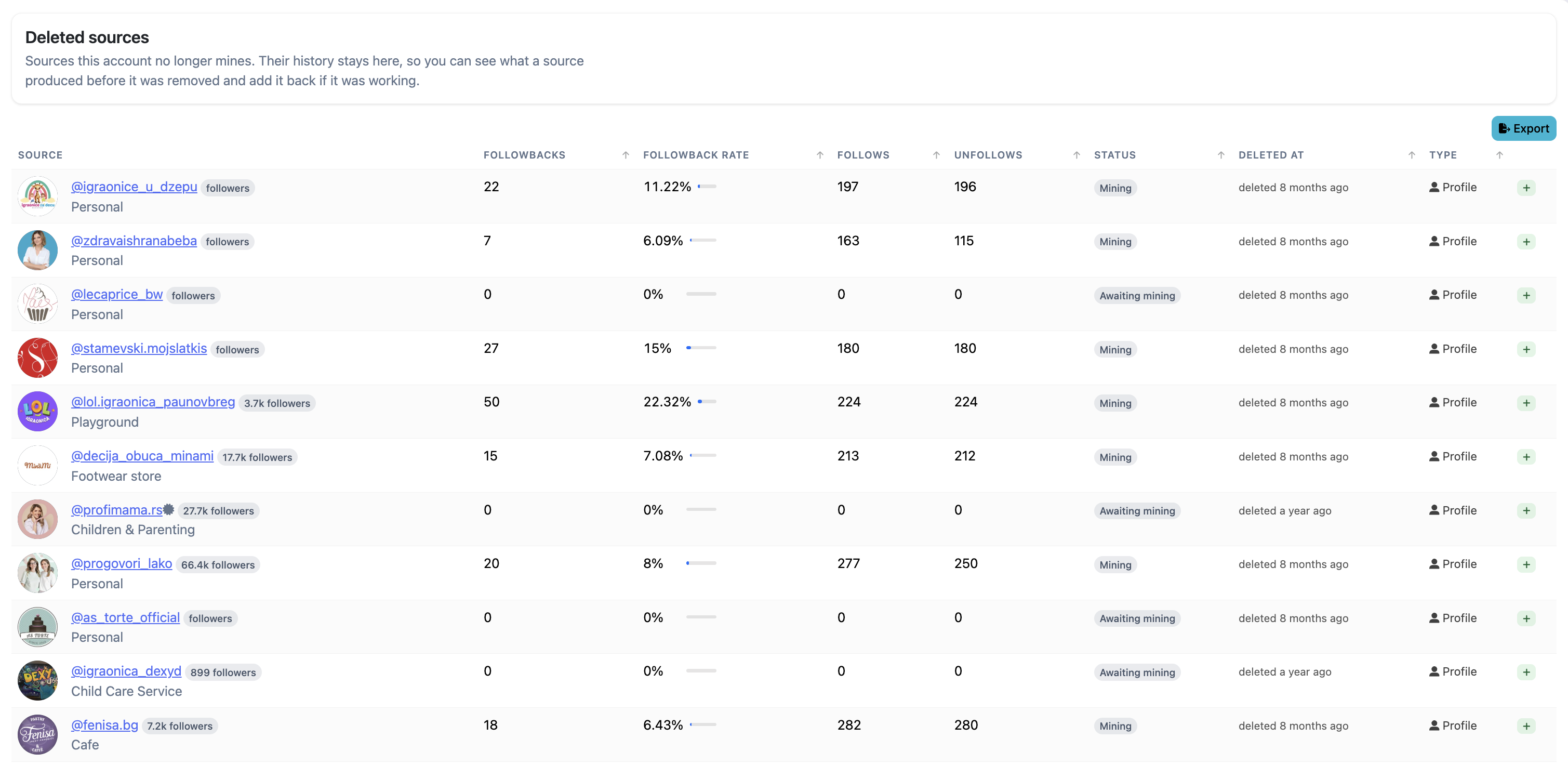
What to Expect
Removed Sources is read-only — it's a historical record, not a management interface. The only action available is restoring a source: click the + icon at the end of any row and the source is automatically re-added to the account, as long as there's a free slot (there's room for 30 sources at most).
Best Practices
- Check Removed Sources before adding a new source to avoid re-adding one that previously performed poorly.
- Use the Followbacks and Followback Rate columns to judge which removed sources are worth restoring — high followback rate means that audience converted well.
FAQ
Can I restore a removed source?
Yes. Click the + icon next to the source and it will be automatically re-added — as long as there's a free slot. Accounts can have up to 30 sources at once.
How long is removed source history kept?
Removed sources are kept indefinitely. They don't expire.
Troubleshooting
| Issue | Next Step |
|---|---|
| Source disappeared from Sources page | Check Removed Sources — it was removed manually or automatically when it depleted. |
| Restore button isn't working | The account is already at the 30-source limit. Remove a source from the Sources page first to free up a slot. |
| Removed Sources log is empty | No sources have been removed from this account yet. Expected for new accounts. |