See every account waiting to be followed or unfollowed, and manually add or remove entries if needed.
Action Queue
Overview
The Queues page shows every account waiting to be followed or unfollowed. The follow queue is filled from your targeting sources and drained at the pace set in Dynamics. The unfollow queue holds accounts that were followed by Oxelio and are now due to be unfollowed.
How it Works
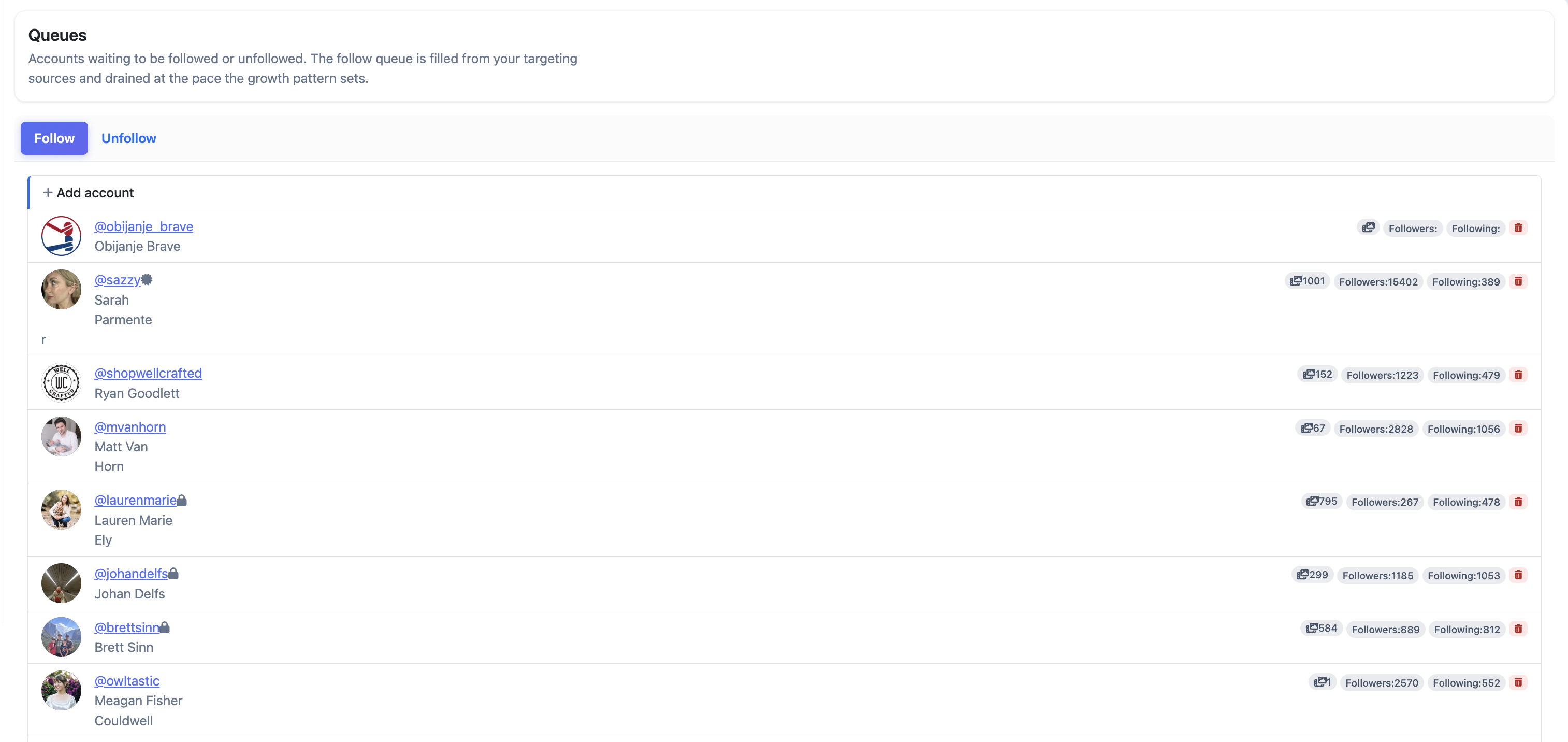
The page has two tabs — Follow and Unfollow — each showing the accounts currently waiting in that queue. Each row shows the account's profile, media count, follower count, and following count. You can remove any entry from the queue using the delete icon, or manually add an account using + Add account.
Oxelio works through the queue throughout the day, respecting the interaction targets set in Dynamics. A large queue doesn't speed things up — the daily pace is fixed by those settings.
Queues
What to Expect
If the follow queue is empty, no new follows will happen until sources refill it — either by adding new sources or waiting for existing source accounts to gain new followers. An empty unfollow queue just means there's nothing due for unfollow yet.
Best Practices
- Check the follow queue first when growth stalls — an empty queue means sources need replacing.
- Use the unfollow queue to spot-check that important accounts aren't about to be unfollowed before the cycle runs.
FAQ
Can I manually add accounts to the queue?
Yes — use the + Add account button on either tab to add an account directly to the follow or unfollow queue.
Can I remove an account from the queue?
Yes — click the red delete icon next to any entry to remove it before it's processed.
Why is the follow queue empty?
Active sources are depleted, or all queued accounts were filtered out. Add new sources to refill it.