Every account runs through a proxy — set the location to match where the account owner actually lives.
Proxy
Overview
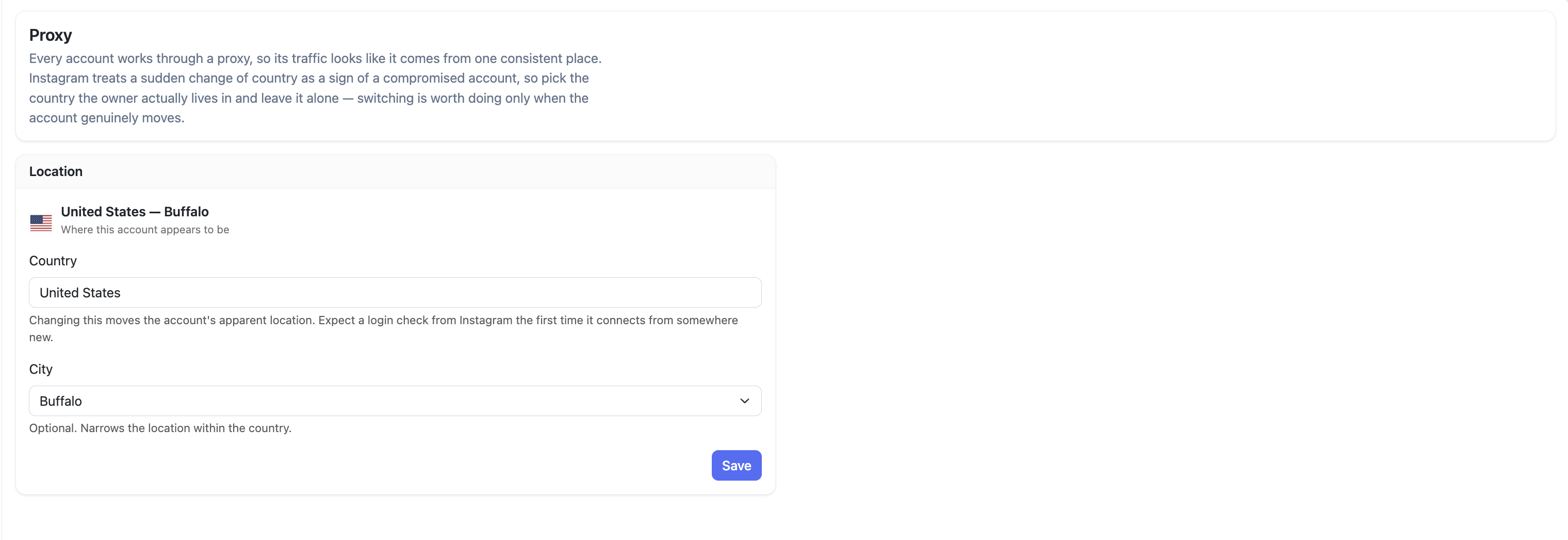
Every account in Oxelio runs through a proxy so its traffic looks like it comes from one consistent place. The Proxy page lets you set the country and city that proxy should appear to be in. The golden rule: set it to where the account owner actually lives and leave it alone.
How it Works
Instagram tracks the location activity comes from. A sudden change of country is one of the signals Instagram uses to flag a compromised account — so stability matters more than picking an "optimal" location. Set it once correctly and don't touch it unless the account owner genuinely moves.
Changing the country will trigger a login check from Instagram the first time the account connects from the new location. City is optional and currently only available for US accounts — it narrows the location within the US. Support for other countries is coming soon.
Proxy
How to Configure
- Open the account from the dashboard and go to Proxy.
- Select the Country where the account owner lives.
- Optionally select a City to narrow the location (US accounts only).
- Click Save.
Dashboard Settings
| Field | Description |
|---|---|
| Location | The current proxy location — shows the country and city the account appears to be in. |
| Country | Required. Sets the country the proxy routes through. |
| City | Optional. Currently available for US accounts only — narrows the location within the US. Support for cities in other countries is coming soon. |
FAQ
Does the proxy location affect the client's Instagram app?
No. The proxy only affects how Oxelio's automation traffic appears to Instagram. When the client uses the Instagram app on their phone, that traffic goes through their own internet connection as normal.
What happens when I change the country?
Instagram detects that the account is now connecting from a new location and will likely trigger a login check. Have the client ready to verify their account if prompted.
Troubleshooting
| Issue | Next Step |
|---|---|
| Account prompted for login check after proxy change | Expected — Instagram flags the new location. Have the client complete the verification through the login portal. |
| Activity paused after changing proxy location | The account may need to re-verify. Check Account Overview for alerts and resend the login link if needed. |