A complete record of every follow, unfollow, and followback — with the source each account came from, exportable as CSV.
Activity Log
Overview
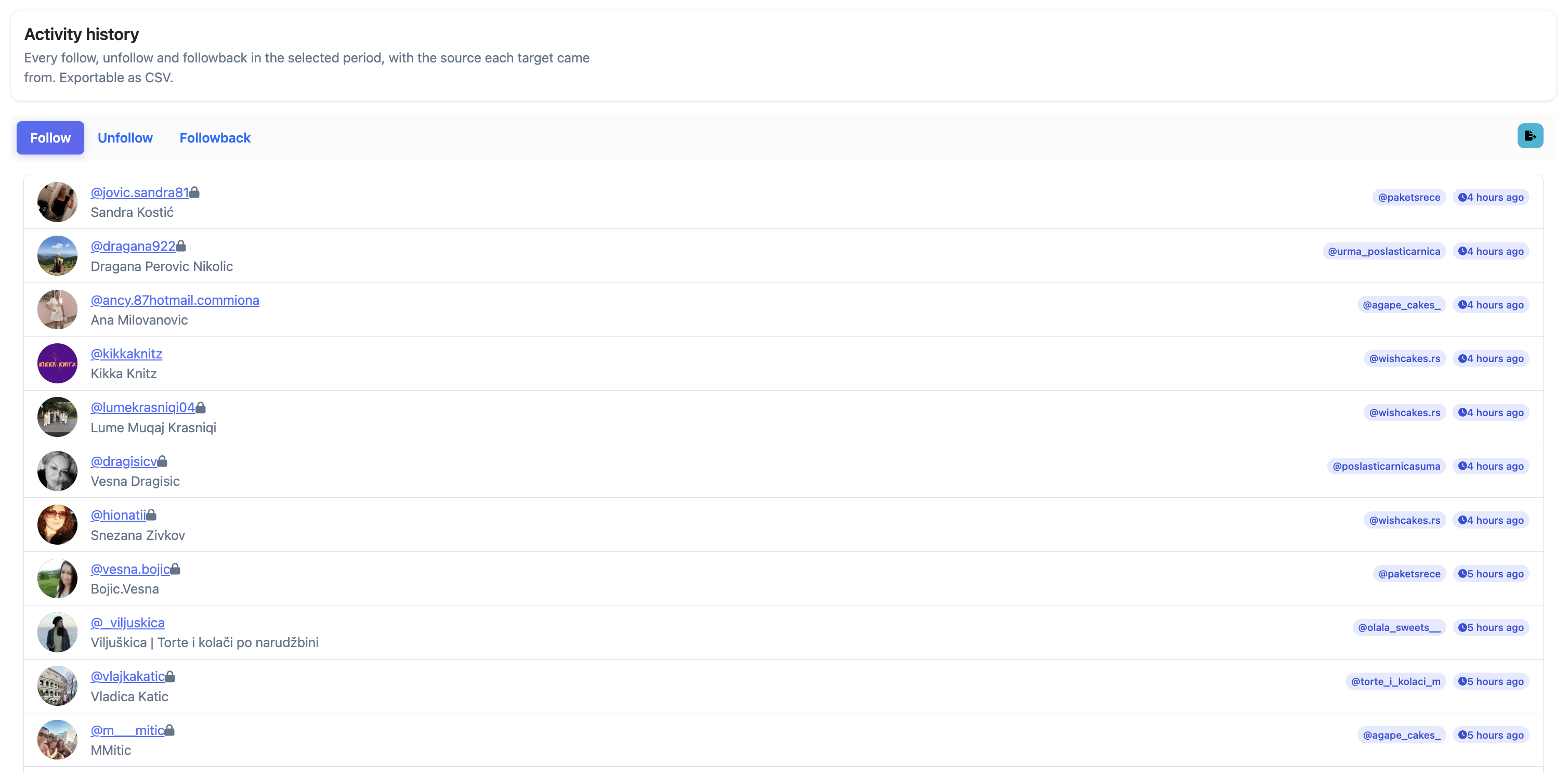
Activity history is a timestamped record of every follow, unfollow, and followback Oxelio has performed on an account. Each entry also shows which source the target account came from, making it easy to see which sources are producing the most activity.
How it Works
The log is split into three tabs:
- Follow — every account Oxelio followed, when it happened, and which source they came from.
- Unfollow — every account Oxelio unfollowed and which source they originally came from.
- Followback — every account that followed back after being followed.
The full log can be exported as CSV using the export button in the top right.
Activity History
What to Expect
The log grows over time and is read-only — it records what happened, it can't undo or replay actions. Use it to audit specific interactions, check which sources are driving activity, or export data for reporting. For higher-level trends, use Analytics.
Best Practices
- Use the Followback tab to see your actual conversion rate — compare it against the Follow tab to gauge how well sources and filters are performing.
- When a client asks "did your system unfollow someone?", check the Unfollow tab and search for the username.
- Export to CSV if you need to share a report with a client or do deeper analysis outside the dashboard.
FAQ
How far back does the history go?
Up to 90 days. If you need data beyond that, contact support.
Can I export the log?
Yes — click the export button in the top right to download the current tab as a CSV file.
An account doesn't appear in the log — does that mean Oxelio never interacted with them?
If the username doesn't appear, Oxelio has not followed, unfollowed, or recorded a followback from that account. They may have been filtered out, not yet reached in the source queue, or added to the blacklist.
Troubleshooting
| Issue | Next Step |
|---|---|
| Log is empty | The account may have been added recently — logs populate as actions are taken. Check again after a few hours. |
| Followback tab shows very few entries | Low followback rate — review source quality and filter settings. See Sources and Interaction Filters. |