How Oxelio keeps accounts safe, what each alert on the Account Overview means, and how to set up accounts to minimize Instagram restrictions.
Account Safety
Overview
Instagram monitors accounts for behavior that looks automated and can apply restrictions ranging from a temporary cooldown to a permanent suspension. Oxelio is built to operate within safe limits — but understanding how that protection works, and how to configure accounts correctly, makes a significant difference in long-term outcomes.
There's no separate "Account Safety" page in the dashboard. Safety state is communicated through the alert section on the Account Overview, which always shows the current status and any action required.
How Oxelio Protects Accounts
- Action spacing — follows, unfollows, likes, and DMs are distributed across the day with randomized timing so activity doesn't look mechanical.
- Daily caps — Dynamics limits how many actions are taken per day, keeping volume within Instagram's safe thresholds.
- Automatic cooldown — if Instagram pushes back with a rate limit, Oxelio pauses automatically and resumes once the limit clears. No manual step needed.
- Dedicated proxies — each account runs through its own proxy, so one account's activity never affects another's.
Alert States
The Account Overview shows one of several alert states depending on what's happening with the account. The most important ones to know:
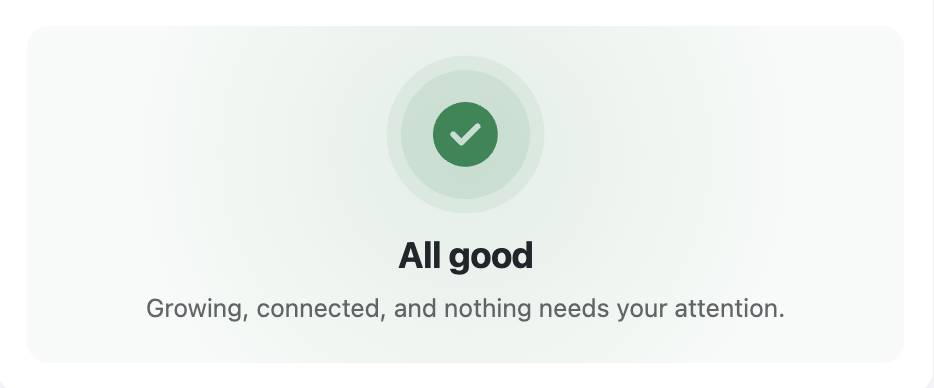
All good
The account is connected, growing, and nothing needs attention. This is the normal state.
Normal state
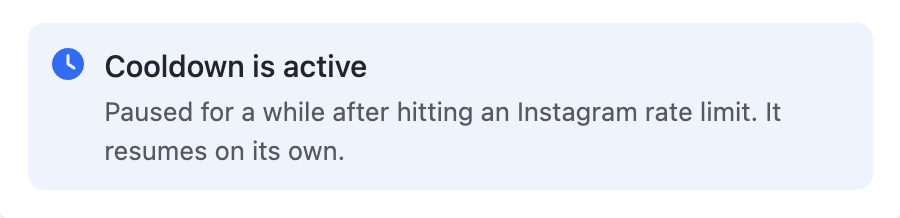
Cooldown is active
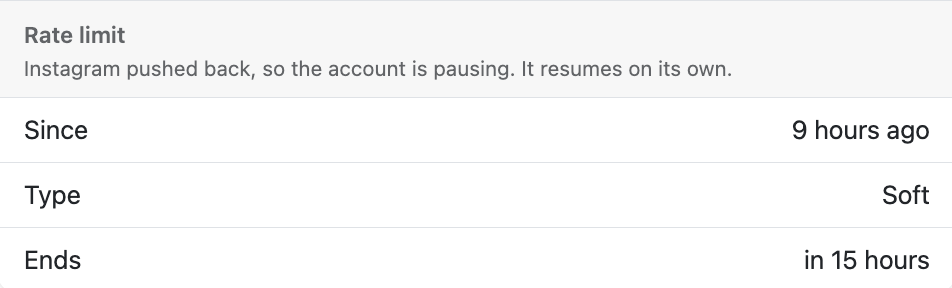
Oxelio hit an Instagram rate limit and has automatically paused. The account will resume on its own — no action needed. The rate limit detail (how long ago it started and when it ends) is shown just below the alert.
Cooldown state
Rate limit detail
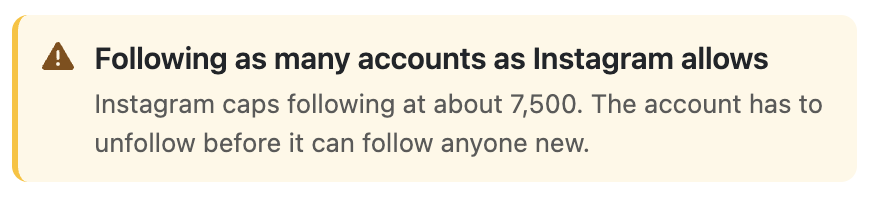
Following as many accounts as Instagram allows
Instagram caps the following count at around 7,500. When that cap is hit, Oxelio can't follow anyone new until the unfollow queue brings the count back down. This resolves automatically as scheduled unfollows run.
Following limit reached
Risk Factors
The settings you choose have a direct effect on how often restrictions occur:
- High daily targets on a new account — new accounts are more closely monitored. Starting at a high volume is the most common cause of early restrictions.
- Rapid target increases — jumping from 50 to 150 follows/day in one change is riskier than a gradual increase over several weeks.
- All features on at once — enabling follows, likes, and DMs simultaneously from day one multiplies total action volume quickly.
- Prior restrictions — accounts that have been blocked before are more sensitive to automation. Start them conservatively.
Recommended Setup
- For new accounts, start at 50 interactions/day in Dynamics and increase gradually — no more than 20–30% per week.
- Enable Like After Follow and Welcome DM only after the account has been running stably for 2+ weeks.
- Check the Proxy page is set to the account owner's actual location — and leave it there.
- After any cooldown, reduce daily targets before resuming. Don't jump back to the previous level immediately.
Best Practices
- Brief clients before starting: let them know what the service does, that occasional cooldowns can happen, and that Oxelio handles them automatically. An informed client is calm; an uninformed one panics when they see a pause.
- Don't encourage clients to manually follow large numbers of accounts while Oxelio is running — this adds to daily volume in ways Oxelio can't track.
- Think long-term: a conservatively managed account growing 400–500 followers/month for a year is more valuable than an aggressive account that gets restricted and loses months of progress.
FAQ
What's the difference between "Cooldown is active" and an action block?
A cooldown is Oxelio's response to Instagram pushing back with a rate limit signal — it pauses automatically and resumes on its own. An action block is Instagram restricting the account more explicitly, often for 24–48 hours. Both are temporary and clear without manual intervention.
Can an account be permanently suspended?
Instagram can permanently disable accounts that repeatedly violate their terms. This is rare with conservative settings, but it's a risk inherent to any automation. Oxelio minimizes it — but can't eliminate it entirely.
If a client gets a restriction, is it Oxelio's fault?
Not necessarily. Restrictions can be triggered by the account's history, the client's own posting or manual activity, or Instagram's spam detection — all outside Oxelio's control. Oxelio's job is to minimize the risk and respond automatically when it happens.
Can I see Challenge events on the Analytics charts?
Yes — on the Analytics Follows and Unfollows chart, a red marker shows when a Challenge was issued and a green marker shows when it resolved. Activity typically drops during the window and returns after.
Troubleshooting
| Issue | Next Step |
|---|---|
| Cooldown is active | No action needed — Oxelio resumes automatically. After it clears, reduce daily targets in Dynamics before the next run. |
| Following limit reached | Automatic — unfollows will bring the count back down. No manual step needed. |
| Cooldowns recurring frequently | Daily targets are too high. Reduce by 30% and let the account stabilize for 2 weeks before increasing again. |
| Account paused with no alert shown | Check Account Overview for other alert types — the account may not be connected or may be awaiting login verification. |